
Selling on Amazon: how to upload products
>-
Selling products on Amazon is easy, if you know how to do it.
After opening your account, the first step is creating your catalog and entering the product listings on Amazon.
There are three ways to upload products to the Amazon platform: adding products one at a time, adding multiple products at once using data upload templates, or relying on a specialized agency to do it for you.
1. Adding one product at a time
The first upload method we will discuss is adding products one by one within the platform. To do this, once you have signed up for Amazon Seller, you can open the menu at the top left, click on Catalog, and then choose Add a Product.
At this point, you can choose between two options: matching a product to an existing offer or creating a new offer.
Matching a product to an existing offer
To put your products up for sale when they are already present on Amazon, the procedure to follow is very simple:
- In Seller Central, select Inventory, click on Add a Product, then search for the item you wish to sell on Amazon. Searching based on a product identifier, such as UPC, EAN, JAN, or ISBN, will yield more accurate results.
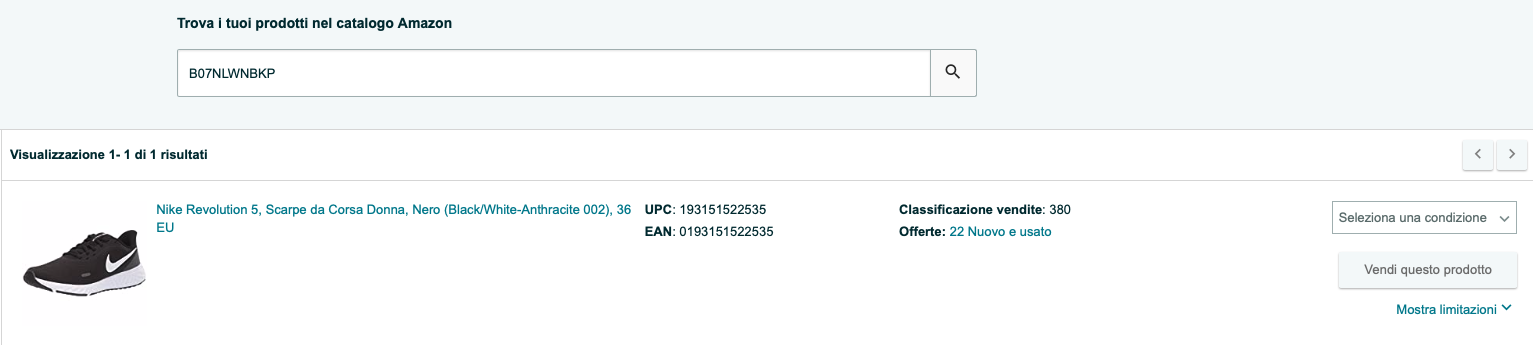
- Once you have identified the product you want to sell, follow these instructions:
-
Click on Sell this product.
-
Enter the offer details in the relevant fields. Mandatory fields are marked with an asterisk.
-
Click Save.
Subscribe to our YouTube channel to stay updated!
Creating a new offer If you are the first to sell a specific product on Amazon, you will need to create a new listing. Before creating the offer, ensure you have the following information available:
-
Product description
-
Product identifier: most products have a unique identification code, such as UPC, EAN, JAN, or ISBN, which ensures the information on the product page is accurate. If you don't have one of these codes, find out how to get one in this article)
-
Offer details: for example, the condition, price, quantity, and shipping options of the product. You can update the offer information at any time.
-
Product details: details include attributes such as name (title), brand, category, description, and images. These details give buyers a precise idea of the product on offer and can be used to highlight special features. Mandatory attributes are subject to change depending on the category in which you publish the products.
-
Keywords and search terms: Using effective keywords allows customers to find your products more easily.
When you have all the elements ready, you can proceed with uploading the products:
- After entering Seller Central, open the dropdown menu on the left, click on Inventory, and then select Add a Product.
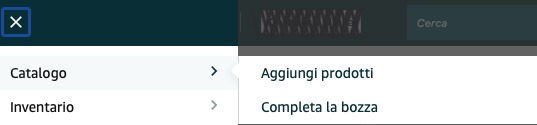
-
Click on I'm adding a product not sold on Amazon.
-
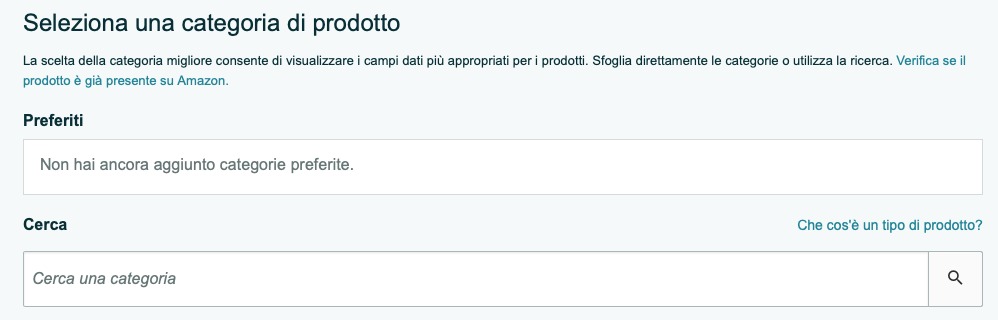
Search for the category corresponding to the product you intend to sell and click on Select category.
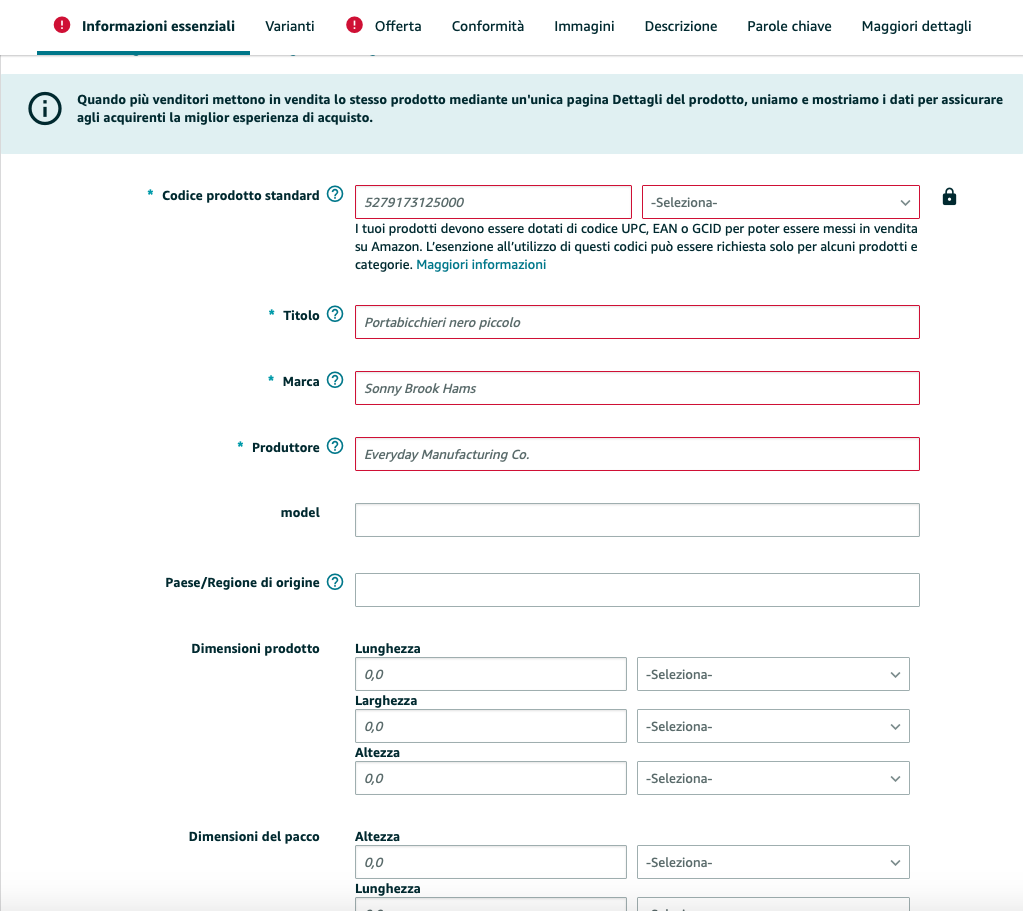
- Enter all the information we explained previously: EAN, price, brand, manufacturer, etc.
- Choose if you want to ship the product yourself or rely on Amazon FBA logistics.

- Once all information is entered, click Save and finish to complete the process and publish the offer. Once published, you can return to the offer to modify it at any time.
Generally, the information provided is published on Amazon within 15 minutes, after which your offer will be visible to customers through search and navigation functions.
Adding multiple products at once using data upload templates
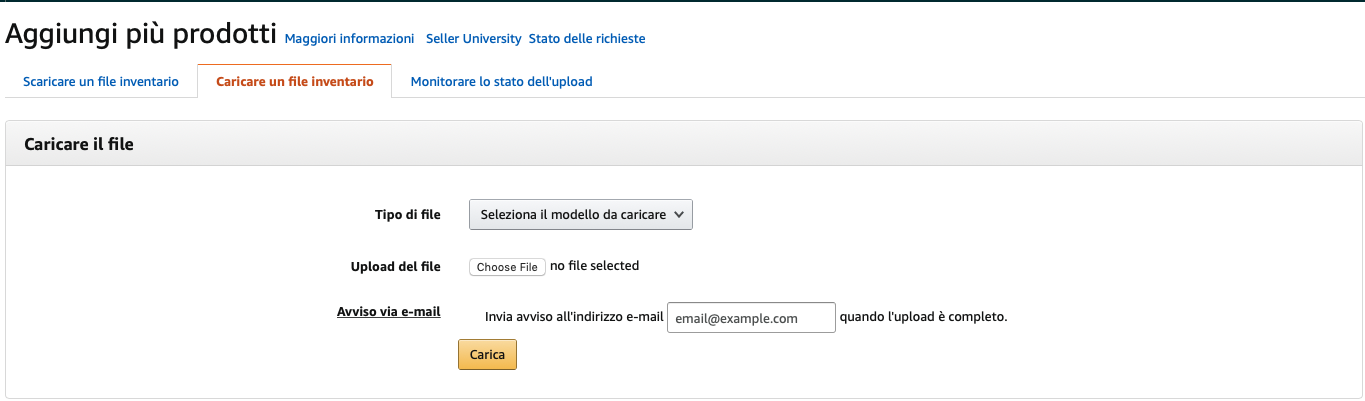
If uploading one product at a time seems like a process that is too long and tedious, you can use one of the upload templates that Amazon makes available to you.
Upload templates (which you can download here) are Excel files (or Numbers if using an iOS system) in which you fill in all the fields normally required by Amazon for each product and then upload them to the platform all at once.
From an upload perspective, there will certainly be time optimization; however, using these forms will not exempt you from filling out every single field for every single product and, additionally, especially when you are inexperienced, you risk making errors that could invalidate all the work.
So what is the fastest and easiest method to upload your inventory to the Amazon platform? Simple: have someone else do it.
Having an agency add the products
Of all the methods, this is the only one that carries an external cost, but it is also the only one that allows you to avoid the long and tedious work of uploading. Furthermore, a specialized agency will know the mechanics of Amazon inside out, helping you optimize time and results.
With an agency, you can save a lot of time, as by delegating the work externally you can focus on other aspects of your business and grow faster.
The other advantage is entusting the optimization of your content to experts who have in-depth knowledge of how the Amazon algorithm works and can therefore maximize the positioning of your products, giving them more visibility and improving sales performance.
Amastar · Amazon Agency
Discover how we can help you integrate Amazon into your business
Book a free consultation with our team.
You might also like
Come ottenere più recensioni su Amazon con Amazon Vine
Scopri come funziona Amazon Vine e le best pratice per sfruttare al meglio il programma
Vendere online: meglio su Amazon o con e-commerce proprietario?
Nel 2025, il commercio elettronico continua a crescere, offrendo opportunità per chiunque voglia avviare un'attività online. Una delle prime decisioni è scegliere tra vendere su una piattaforma consolidata come Amazon o creare un e-commerce proprietario. Entrambe le opzioni hanno vantaggi e sfide da considerare.I vantaggi di vendere su AmazonAmazon rappresenta uno dei marketplace più popolari al mondo. Vendere su questa piattaforma offre:● Visibilità immediata: con milioni di utenti giornalieri,
Perché conviene iniziare a vendere su Amazon Seller Central anche per i Vendor
Sempre più aziende stanno iniziando a vendere tramite su Amazon tramite Sellercentral | Scopri come iniziare o come migrare da Vendor con un'agenzia Amazon parnter